
For small teams
A task manager that keeps small teams focused
Keep each person’s private priorities next to shared team work. Ping gives small teams a clear way to capture requests, plan the next action, and follow work through to completion.
Stop choosing between a personal to-do list and a team workspace
Small teams often need both: a private place to plan the day and a shared place to coordinate work. Ping connects those views without turning every task into a complicated project-management setup.
- Capture work before it disappears in email, chat, voice notes, or photos.
- Give every person a focused list of what they need to do next.
- Keep assignments, projects, and Kanban boards visible to the people doing the work.
- Use one flat Team price for up to 15 people instead of paying for every seat separately.
See Ping in action
Real Ping screens show how the workflow looks once requests, priorities, and team work are in one place.
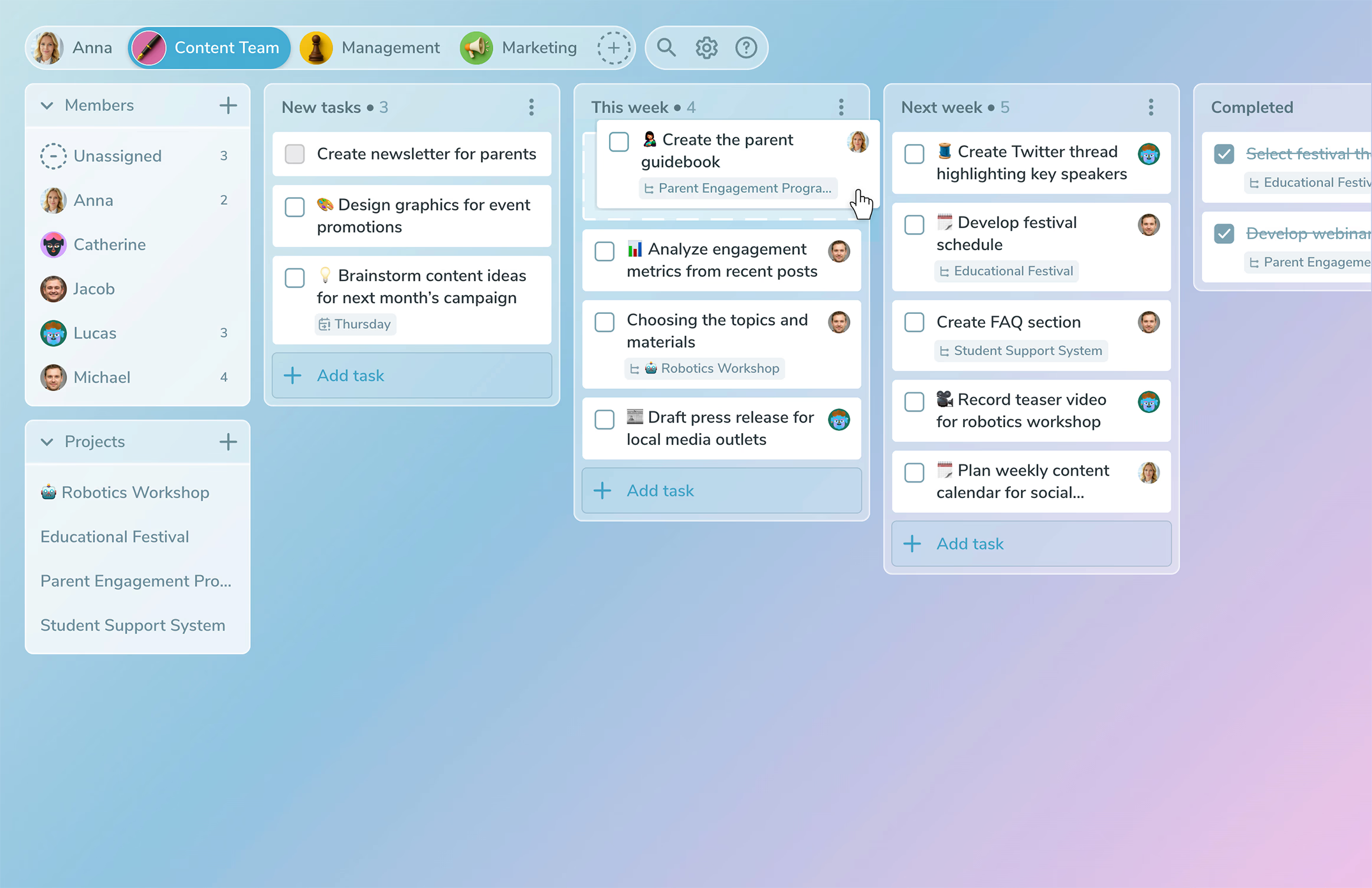
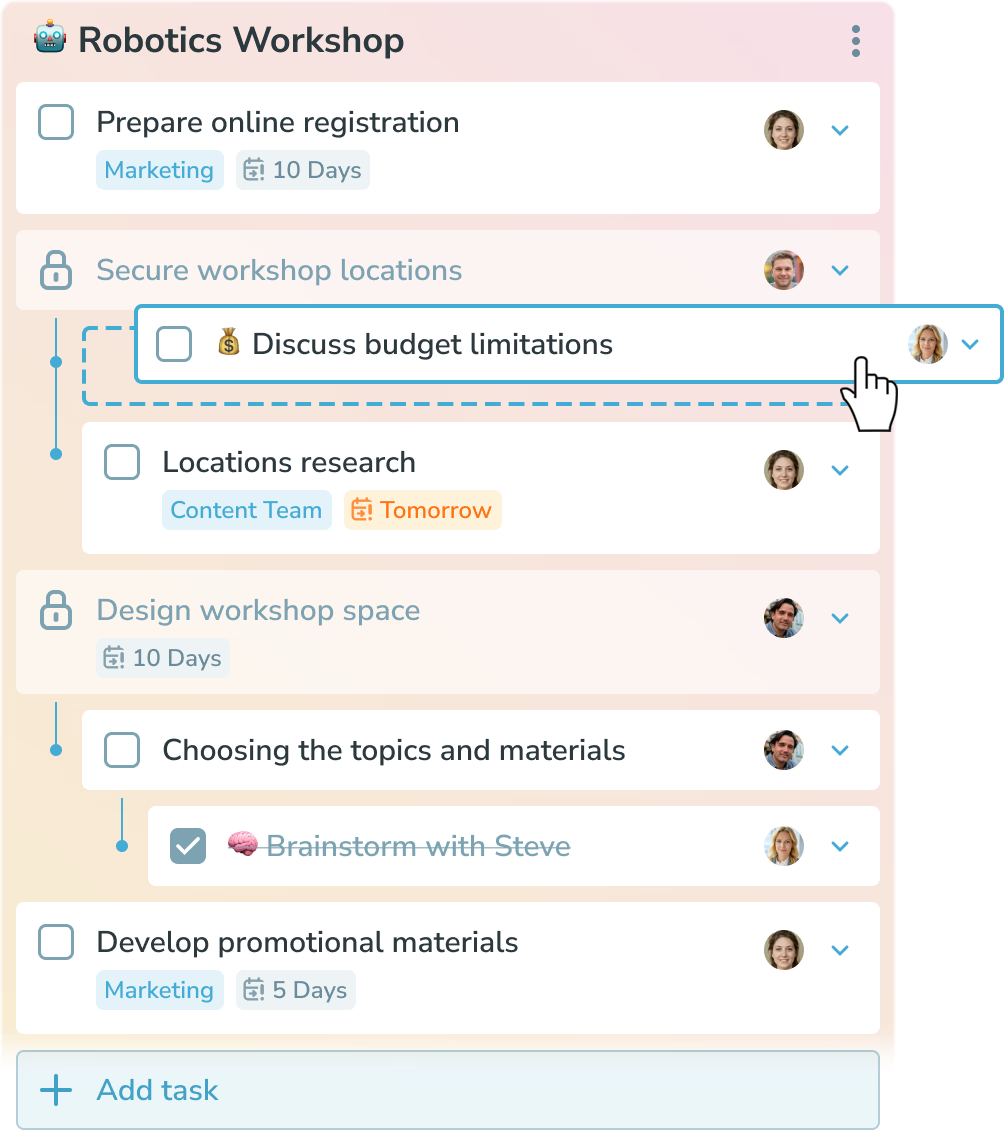
One task manager, two planning modes
Everyone can work in the same product while choosing the amount of structure that fits their day.
Simple mode
Keep your tasks in one My tasks list when you want a clear next action without extra planning.
Advanced mode
Plan tasks for Today, This week, or Later when deadlines and periodic reviews matter.
A lightweight workflow from request to done
Assign work, see who owns the next action, and use built-in progress states when a task needs help or approval.
Delegate without losing context
Assign a task to a teammate, mention people in comments, and keep the original request with the work.
Learn more →Make blockers visible
Use Waiting for when someone is blocked and keep the request visible until the needed help is given.
Learn more →Finish with a clear handoff
Completed work can move through For approval so the requester can accept it or ask for a change.
Learn more →Projects and boards that work together
Use projects for dependencies and context, and shared Kanban boards for the team flow. A task can belong to both without duplicating the work.
Simple mode
Keep every personal task in one My tasks list when you just need a clear next action.
Learn more →Advanced mode
Plan tasks across Today, This week, and Later when deadlines and periodic reviews matter.
Learn more →Shared Kanban flow
Create groups for different team workflows while each person keeps a private view of assigned work.
Learn more →Explore Ping for small teams
Ready to get your team moving?
Capture work quickly, plan the next action, and keep progress visible.
Try Ping