
Ping projects
Build a clear path from the first task to the final result
Organize complex work in a tree, keep blocked tasks out of everyone's way, and let the same project flow through the Kanban boards where your teams actually work.
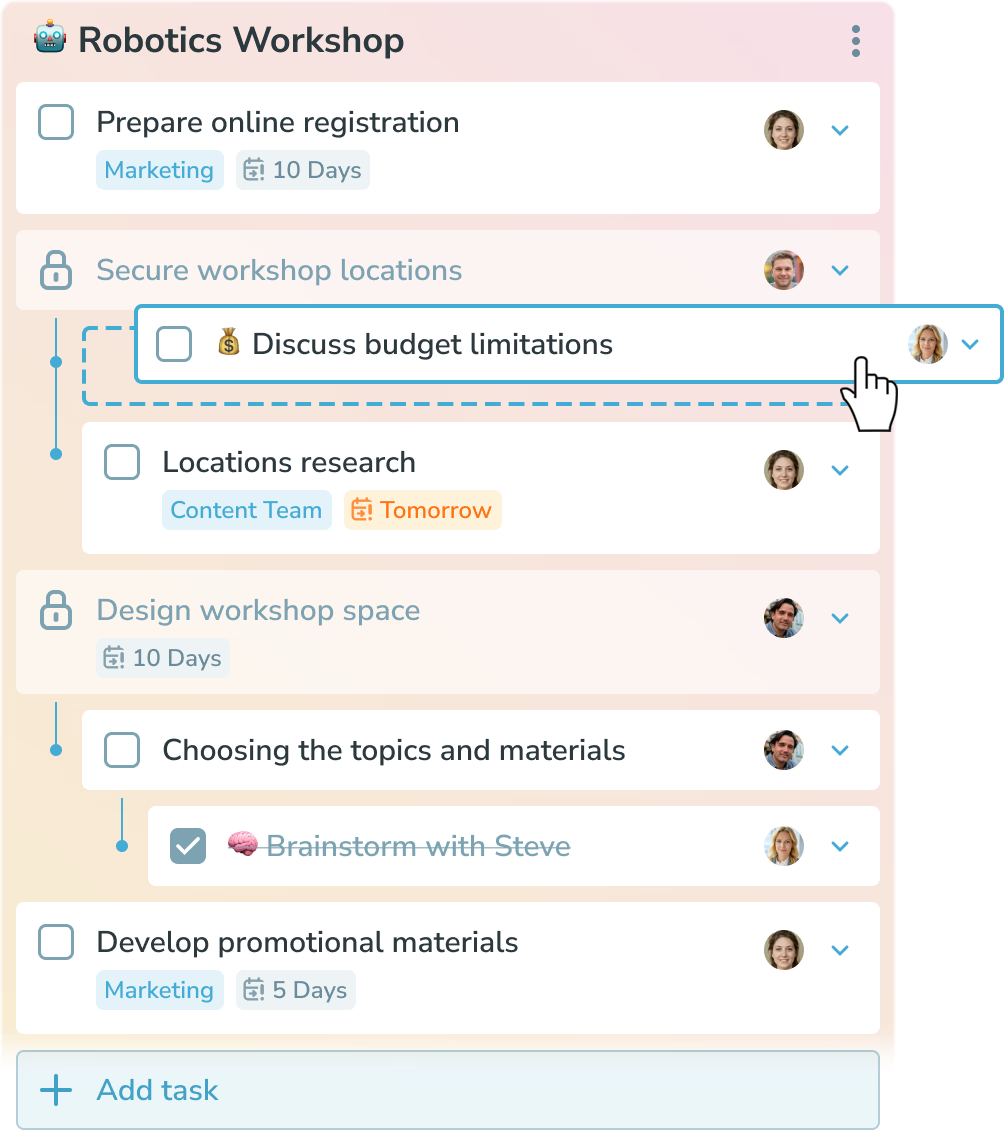
Projects that understand dependencies
Arrange work in a tree
Break a goal into parent tasks and the smaller tasks that need to happen first.
Hide work until it is ready
Dependent tasks stay blocked and do not appear in anyone's personal task list too early.
Let teams use their own flow
Put project tasks on the boards where each team already plans and delivers work.
Projects × Kanban
One project can cross boards. One board can serve many projects.
A project describes the goal and the dependency tree. A Kanban board describes the team's workflow. Keeping those layers connected means a team can share one flow while moving work from several projects — and a project can bring together contributors from different boards.
Learn about Kanban for teamsWhy use projects in Ping?
Less noise in My tasks
See the next actionable step instead of every future task in the project.
Clear ownership
Assign work to people while the dependency tree keeps the wider goal visible.
Flexible team workflows
Keep project structure and team-specific Kanban flows connected without forcing one view on everyone.
How to get started
- Create a project. Give the project a goal and add the tasks that lead to it.
- Build the task tree. Nest dependent tasks so Ping knows what must happen before the next step can start.
- Connect the team flow. Place project tasks on the Kanban boards where the people doing the work already collaborate.
- Work only on what is ready. Ping reveals unblocked tasks in the right personal planning list as dependencies are completed.
Ping projects FAQ
What makes Ping projects different?
Ping projects use a tree structure, so dependent tasks stay blocked until their prerequisites are complete. Blocked work does not clutter anyone's task list and appears when it becomes actionable.
Can a project use tasks from multiple Kanban boards?
Yes. Tasks from different boards can belong to the same project, which is useful when a project crosses teams with different workflows.
Can one Kanban board contain tasks from different projects?
Yes. A board can represent a team's flow while containing tasks from several projects, so the team can work in one place without losing project context.
Where do blocked project tasks appear?
Blocked parent tasks stay out of personal task lists until their dependencies are complete. Once unblocked, they move into the appropriate My tasks list in Simple mode or the selected planning list in Advanced mode.
Make the next task obvious.
Capture. Plan. Do. The AI way.
Get Started