
For agencies
Coordinate client work without a heavier workspace
Keep incoming requests, internal follow-ups, and delivery work in one task manager. Ping helps agencies separate personal focus from shared execution while keeping handoffs clear.
Client work has more handoffs than a simple checklist
An agency task can move from a client request to a specialist, through review, and back to the requester. Ping gives that process clear owners and statuses without requiring a large hierarchy before the team can start.
- Capture requests from Gmail, Slack, voice notes, photos, or a ChatGPT conversation.
- Use projects for client deliverables and boards for disciplines or delivery flows.
- Keep blocked tasks in Waiting for instead of hiding the dependency in a chat thread.
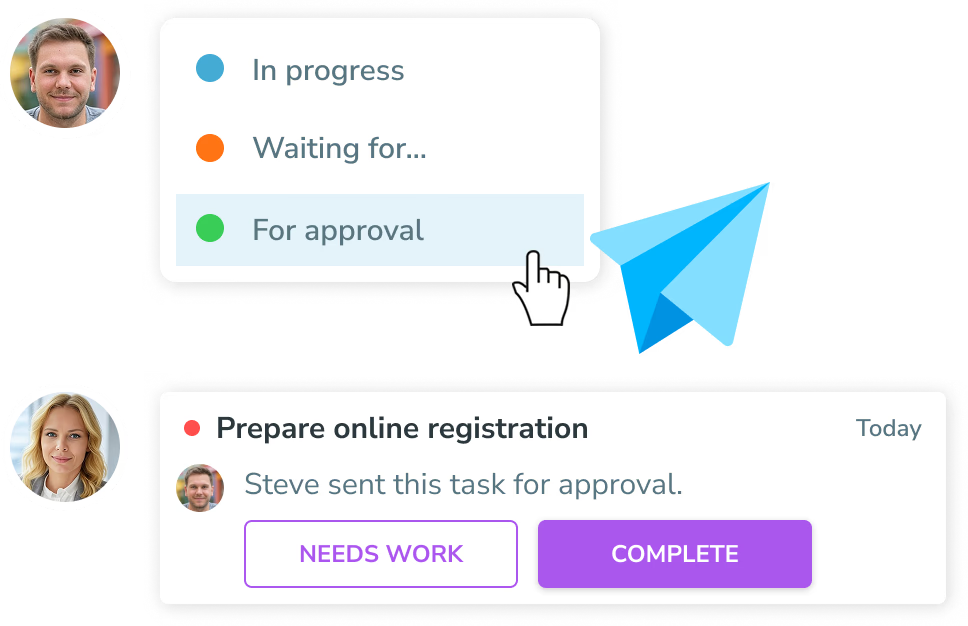
- Submit finished work for approval so the requester can accept it or explain what needs changing.
See Ping in action
Real Ping screens show how the workflow looks once requests, priorities, and team work are in one place.
One task manager, two planning modes
Everyone can work in the same product while choosing the amount of structure that fits their day.
Simple mode
Keep your tasks in one My tasks list when you want a clear next action without extra planning.
Advanced mode
Plan tasks for Today, This week, or Later when deadlines and periodic reviews matter.
Separate client context from team flow
Projects and groups solve different problems: projects keep deliverable context together, while boards show how a team is processing work.
Projects for deliverables
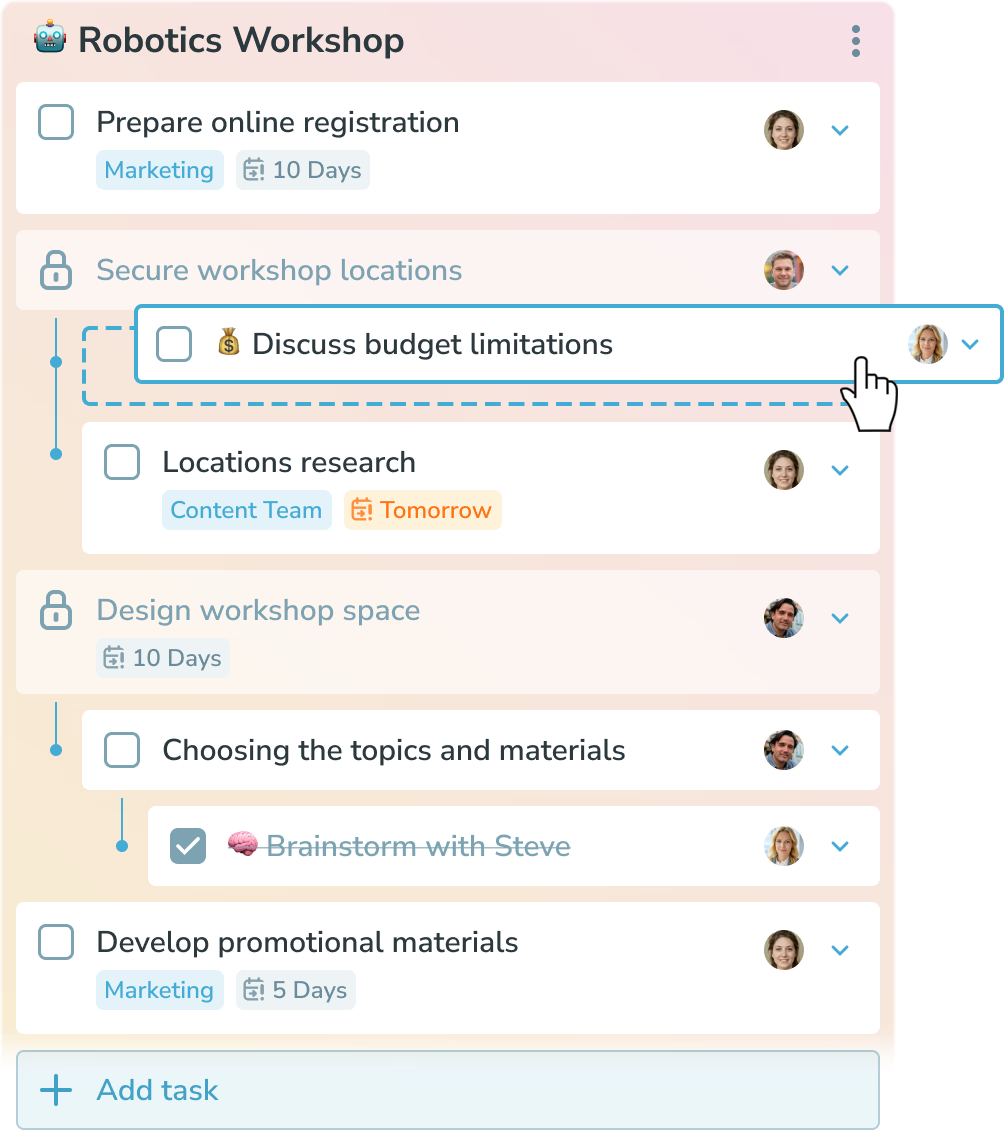
Build a dependency tree for a campaign, website, or client request and assign each task to the right person.
Learn more →Boards for disciplines
Let design, content, or account teams use their own Kanban flow while tasks remain connected to their projects.
Learn more →Private follow-ups
Keep notes and personal next actions in your private view without putting every reminder on the shared board.
Learn more →Make approvals and blockers explicit
The team can see whether work is in progress, waiting for someone, or ready for approval without a separate status spreadsheet.
Waiting for
Choose the person who needs to respond and keep the task visible until help is given.
Learn more →For approval
When an assignee finishes, the requester can accept the task or send it back with a comment.
Learn more →Smart notifications
Actionable notifications stay visible while comments and other updates can be cleared when reviewed.
Learn more →Explore Ping for agencies
Ready to get your team moving?
Capture work quickly, plan the next action, and keep progress visible.
Try Ping