
ChatGPT integration
Manage Ping tasks from ChatGPT
Talk to Ping Task Manager GPT in ChatGPT to create, edit, assign, and browse your Ping tasks from a natural conversation.
What you can do with Ping GPT
Create and edit tasks
Describe a task naturally and include details such as a deadline, reminder, or project.
I need to prep a report for Friday. Remind me Thursday at 1 PM.
Ping GPTDelegate work
Ask Ping GPT to assign a task to a teammate, with confirmation before it is sent.
Kickstart projects
Turn an idea or meeting notes into a project with useful starter tasks.
See it in action
A task manager you can talk to
Ask for a task, a project, or a filtered view of your work. Ping GPT keeps the conversation natural while Ping remains the place where the work is organized.
Ask Ping GPT to manage the details
Add and edit tasks
Include a title, description, deadline, reminder, project, assignee, or tags in one request.
Browse your tasks
Ask to see tasks grouped by project, person, or the work that needs attention next.
Continue in Ping
Open a direct link to the Ping web app whenever you need detailed UI changes.
Choose the right AI surface
ChatGPT integration starts in ChatGPT
This is different from the AI Task Assistant, which starts inside an existing Ping task. Use ChatGPT integration when you want to manage Ping through conversation; use the in-task assistant when you need help moving one task forward.
See the AI Task AssistantHow to get started
- Open ChatGPT. Use the ChatGPT web, desktop, or mobile app.
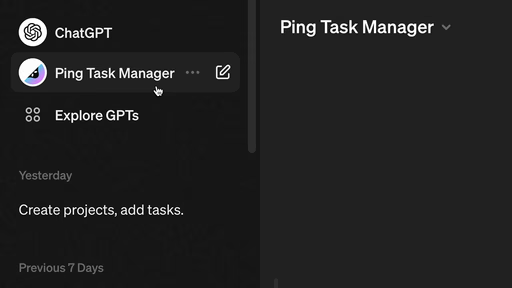
- Start Ping Task Manager GPT. Open the Ping Task Manager GPT and begin a conversation.
- Describe what you need. Ask to create or edit a task, delegate work, start a project, or browse your Ping tasks.
- Continue in Ping when useful. Use the direct link to open the Ping web app for detailed UI changes and task planning.
ChatGPT integration FAQ
What does the Ping ChatGPT integration do?
Ping Task Manager GPT lets you create, edit, assign, and browse Ping tasks from a conversation in the ChatGPT app.
Where do I use the integration?
You use it inside ChatGPT on the web, desktop, or mobile app. Start a conversation with Ping Task Manager GPT and ask it to manage your Ping work.
Can Ping GPT create projects and subtasks?
Yes. You can describe a project or paste meeting notes and ask Ping GPT to draft a project with starter tasks and subtasks.
How is this different from the AI Task Assistant?
ChatGPT integration starts in ChatGPT and brings Ping into the conversation. The AI Task Assistant starts inside a Ping task and helps you move that task forward.
Turn a conversation into a plan.
Capture. Plan. Do. The AI way.
Start Chat